Aug 20, 2025
How To Maintain and Troubleshoot Your Sports Simulator
A sports simulator is an all-benefits investment in entertainment technology that can transform almost any room into a versatile athletic arena. If you’re perfecting your golf swing or practicing quarterback passes, you can rely on these advanced systems for skill development and fun.
However, like any advanced technology, sports simulators require proper maintenance and occasional troubleshooting to perform at their peak. The following insights on maintaining and troubleshooting your sports simulator will guide you. Discover what you need to know about keeping your system running smoothly and when to seek professional help.
Your Sports Simulator Components
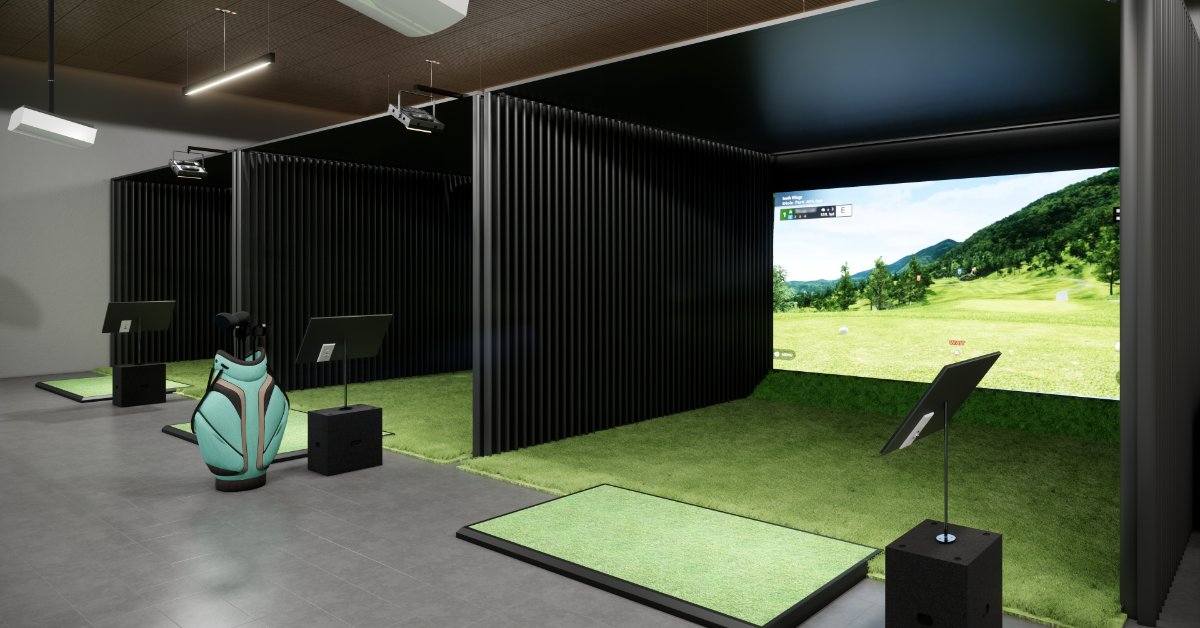
Modern sports simulators consist of several integrated components working together to create realistic gameplay experiences. The projection system displays high-definition graphics onto a specialized screen or wall surface, while sensors track ball movement and player actions with remarkable precision. Audio systems provide immersive sound effects, and the CPU manages game software and responds to user inputs.
The projection system typically includes high-lumen projectors designed for continuous use. These projectors must maintain proper color balance and brightness levels for clear visibility during gameplay. Sensor arrays, often using infrared or camera-based technology, require clean surfaces and adequate alignment to track ball flight and player movements accurately.
Each component plays a necessary role in delivering the authentic experience that makes your sports league simulator feel like playing in a professional venue. Becoming acquainted with these basic elements helps you identify potential issues early for more consistent performance.
Daily Maintenance Routines
Establishing consistent daily maintenance habits prevents the most common issues and extends your simulator’s lifespan. Start each session by checking the projection area for dust, fingerprints, or debris that could interfere with image quality. Clean the screen surface gently using microfiber cloths and appropriate cleaning solutions.
Inspect sensors for dust accumulation or misalignment. Even small particles can affect tracking accuracy, leading to inconsistent ball flight readings or missed shots. Use compressed air to remove dust from sensor housings, working carefully to avoid disturbing calibration settings.
Check all cable connections, confirming that they remain secure and undamaged. Loose connections cause intermittent performance issues that can be frustrating during gameplay. Pay particular attention to HDMI cables, power connections, and wireless signal receivers.
Extreme temperatures can affect electronic components and projection quality, while high humidity may cause condensation on lenses or sensors. Keep your simulator room between 65 and 75 degrees Fahrenheit, with humidity levels below 60 percent for the best performance.

Weekly Deep Cleaning Procedures
Weekly maintenance goes beyond daily surface cleaning to address areas that accumulate dust and debris over time. Power down your entire system before beginning deep cleaning procedures to prevent damage to sensitive electronics.
Remove and clean air filters in projectors and cooling systems. Clogged filters restrict airflow, causing components to overheat and potentially fail prematurely. Clean with compressed air or gentle washing, depending on the filter type.
Inspect and clean the hitting area thoroughly. Golf simulators require particular attention to the tee area and impact screen, while multisport systems need careful cleaning of floor sensors and boundary markers. Remove accumulated debris that could interfere with ball tracking or player movement detection.
Check software updates and system performance. Many modern simulators automatically download updates, but manually checking guarantees you have the latest features and bug fixes. Run built-in diagnostic tools if available to verify that all systems function correctly.
Common Troubleshooting Issues and Solutions
Projection problems are among the most frequent issues simulator owners encounter. Dim or discolored images often indicate projector lamp replacement needs or dust accumulation on internal components.
Before replacing expensive lamps, clean the projector’s air filters and check the ventilation systems. Overheating projectors automatically decrease brightness to protect internal components.
Tracking inconsistencies frustrate players when shots don’t register accurately or ball flight appears unrealistic. Environmental factors like lighting changes or reflective surfaces can affect tracking accuracy. Make sure to recalibrate the sensors, which typically involves hitting balls from specific positions while the system learns your setup parameters.
Audio issues range from complete silence to distorted sound effects. Check all audio connections and configure volume levels correctly in hardware and software settings. Some systems require specific audio driver configurations that may reset during software updates.
Software crashes or freezes can result from insufficient system resources or corrupted game files. Restart the system completely, allowing all components to power cycle properly. If problems persist, reinstall problematic game software.
Network connectivity issues affect online features and software updates. Check Internet connections and firewall settings that might block simulator software communications. Some systems require specific network ports to remain open for proper functionality.
Seasonal Maintenance Requirements
Seasonal maintenance schedules address environmental changes that affect simulator performance throughout the year. Spring cleaning should include comprehensive dust removal from all components, filter replacements, and calibration checks after winter storage periods.
Summer maintenance focuses on cooling system performance and humidity control. Provide adequate ventilation around all electronic components, and consider supplemental cooling if ambient temperatures regularly exceed recommended ranges. High humidity during summer requires more frequent sensor cleaning and dehumidification.
Fall preparation includes checking backup power systems and surge protection equipment before winter storm seasons. Inspect all seals around simulator rooms to prevent moisture intrusion during rainy periods. Update software and backup system settings before extended winter use periods.
Winter maintenance emphasizes heating system coordination and condensation prevention. Cold startup periods may require extended warm-up times for projectors and electronic components. Monitor for condensation formation on lenses or screens when transitioning from cold to warm conditions.
Professional Service and Support
Recognizing when professional service is necessary prevents minor issues from becoming major repairs. Complex calibration problems, persistent tracking errors, or hardware failures typically require manufacturer-trained technicians with specialized diagnostic equipment.
HD SportSuite systems, for example, include comprehensive warranty coverage and professional support networks to address technical issues beyond user maintenance capabilities. Establishing relationships with authorized service providers guarantees prompt response times and genuine replacement parts when needed.
Keep detailed maintenance logs documenting cleaning schedules, calibration dates, and performance issues. This information helps service technicians diagnose problems quickly.
The Best Investment
Proper maintenance and troubleshooting extend beyond preserving real-time functionality and use. Well-maintained simulators retain higher resale values and provide consistent performance for enjoyment and skill development. Properly functioning systems prevent equipment damage during enthusiastic gameplay and uphold the realistic experiences that make sports simulators so engaging.
Your Sports Entertainment Future
Consistent maintenance prevents most common issues, while knowing how to maintain and troubleshoot your sports simulator allows for a more systematic, organized approach.
Your sports simulator should provide years of reliable entertainment with proper care and attention. By following these guidelines and being consciously aware of possible issues that could arise, you’ll guarantee the best performance for countless hours of athletic training and fun.
Implement a maintenance schedule today that fits your usage patterns. If issues persist, reach out to HD SportSuite for a proper diagnosis. The smooth performance and extended lifespan that results from proactive care and attention to detail are worth it.